
Belmont Community Primary School
Online Guides & Support
Useful Websites
Topic |
Website Link |
| Safeguarding Alert WhatsApp Add Anyone Groups |
Ineque Safeguarding Group - WhatsApp Alert |
|
ThinkuKnow – |
ThinkuKnow For Parents |
| Digital Family Basics Getting Tech Ready |
The Parent Zone |
| Keep Your Child Safe On Social Media | NSPCC |
| Children's Online Safety Quiz Top Tips For Parents |
Virgin Media 02 Online Safety Quiz |
| Setting Up Parental Controls On Devices | Internet Matters |
| Help With Transition To Secondary School | Moving On Up! - Chlldnet |
Popular Apps Children May Ask To Use
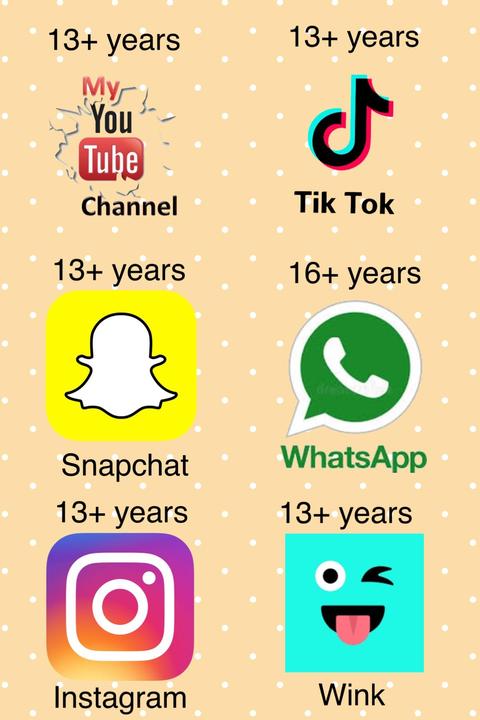 Children love to keep in touch with each other, more and more so by chatting online, so they may ask to use some of the popular social media sites and apps. However, such sites have their own terms of use, including the age from which they allow accounts. TikTok, for example, requires users to be 13+ years and the popular app, WhatsApp, has raised its age limit for UK users to 16+ years. Such sites and apps are not designed for young children to use and do not have robust privacy safeguards automatically enabled. Children using them may be exposed to adult content and have any content they upload be seen by adults they don’t know. It is vital that safeguards are put in place should parents choose to allow their children to have access to such an account. Guidance can be found on the websites listed above.
YouTube Kids
There is a specific version of YouTube that is stated to be designed for children to use. Parental controls should still be put in place. Please click on the link below for more details.
PEGI Age Rating Guide
The European age-rating system for games and apps, is called PEGI (Pan European Game Information). You will find PEGI labels on the front and back of a game's packaging. The age-rating refers not to how difficult the game is but to the suitability of the game's content in 8 key areas – violence, bad language, fear, in-game purchases, sex, gambling, drugs and discrimination. Games rated 18+ years, for example, may contain strong language and violence unsuitable for young children.
It can be difficult to decide which game, apps and sites you allow your child to use, so we’re pleased to let you know that the PEGI Ratings App, available for Android and Apple, allows parents to check a video game or app's suitability. You can download the app by searching for PEGI Ratings on the Play Store or App Store. You can also find more information on the PEGI website.
Belmont School works hard to ensure that every link provided on this page has been thoroughly checked before being published. Belmont School does not have control over third party content and therefore cannot be liable for any changes made to it.